Signing up
Table of Contents
How to register?
Step 1: Navigate to the Registration Page
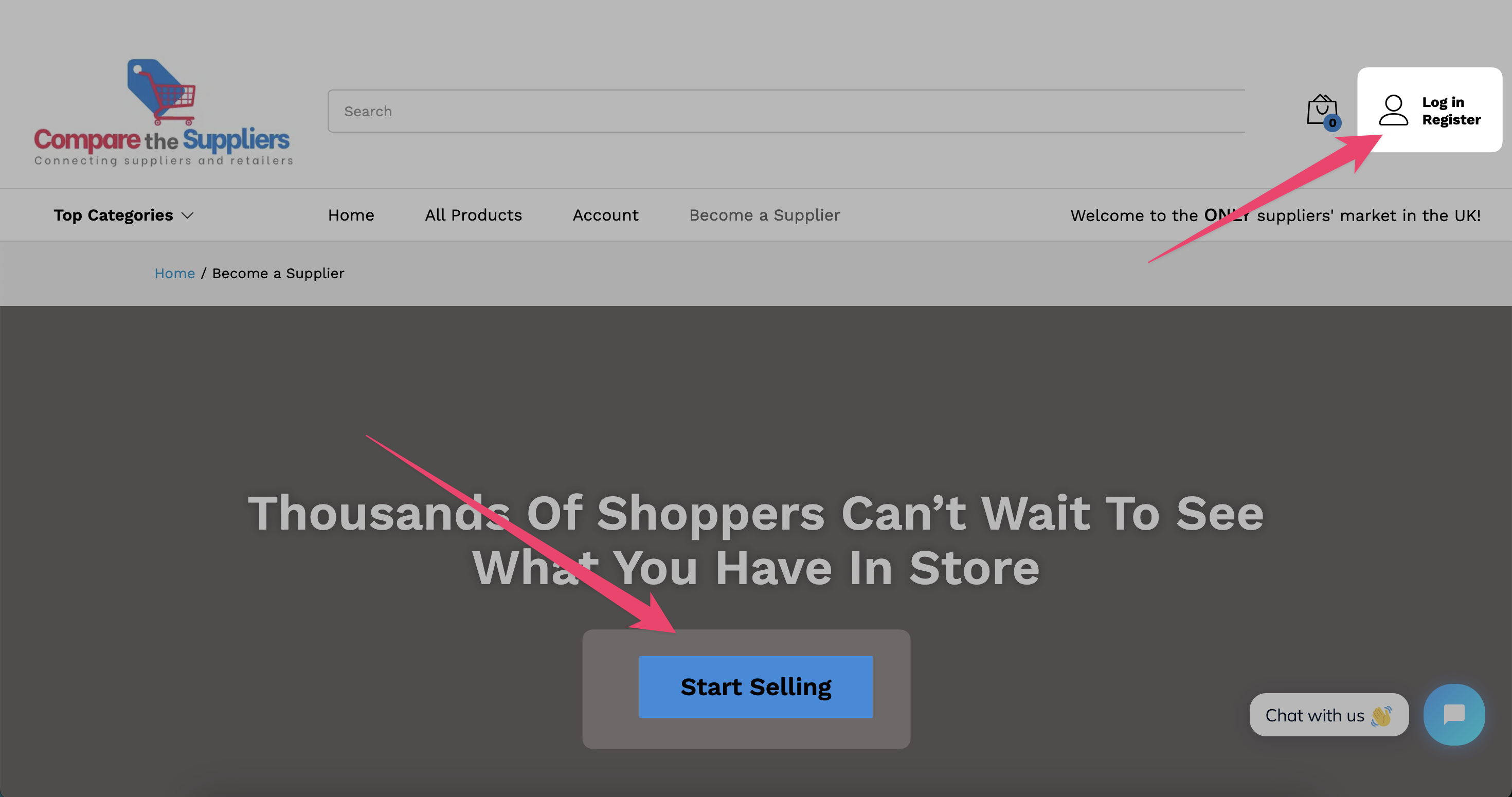
- From the main menu, click on the “Become a Seller” page.
- On this page, click the “Start Selling” button.
- Alternatively, you can click on the Login/Register button located at the top-right corner of the page (as shown in the screenshot below).
Step 2: Switch to the Registration Tab
- Once you’re on the login/register page, navigate to the Registration tab.
- You will see a form to sign up as a supplier.
- Select the “I am a Vendor” option. This will expand all the fields you’ll neeed.
(See the screenshot below for reference.)
Step 3: Fill Out the Registration Form
- Enter the required details in the form, such as your name, email address, password, and any other requested information.
- Before completing the registration, ensure you read and agree to the platform’s Terms & Conditions and Privacy Policy.
- Once you have filled out all the details, click the Register button.
🎉 That’s it! Your supplier profile is now created. You can start exploring and setting up your profile on the platform. Simple!